Choose the fields
Start with posts, pages, excerpts, SEO content, or other fields your editors already maintain.
WordPress localization
Keep the fields your editors use, give important pages a review path, and return approved translations to the workflow that publishes them.
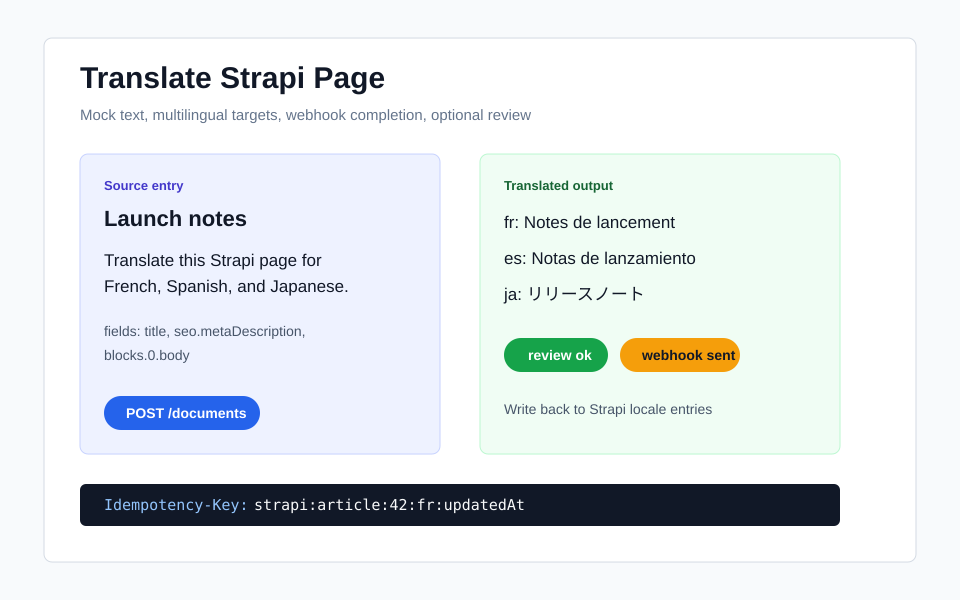
A publishing-friendly flow
Start with posts, pages, excerpts, SEO content, or other fields your editors already maintain.
Keep related content together so the translated page still makes sense to the person publishing it.
Route campaigns, policies, support content, and other high-impact pages through approval when needed.
Return approved language to the WordPress workflow your team already uses.
What to expect
Supported by Babelnotch
Translation of the content fields your team selects, with tracked work and an optional review step.
Recommended pattern
Use one page your editors know well to agree on the source fields, review, and publishing handoff.
Optional connection
Reading content from WordPress and writing approved language back are connections your team configures around Babelnotch.
Ready to connect
A real page makes it easy to agree on fields, review, and the handoff back to publishing.
Related workflows
FAQ
Yes. Treat posts, pages, taxonomy labels, excerpts, slugs, and SEO fields as structured document content.
Use polling or a signed webhook callback from an authenticated workflow.
Yes. Route campaign, policy, and support pages through review before publish.